Adding Problems
The 101 Problem Library is an open, collaborative platform. Every Go player can upload problems.
Click Add a Problem in the Problem Library sidebar to enter a problem you want to contribute to 101.

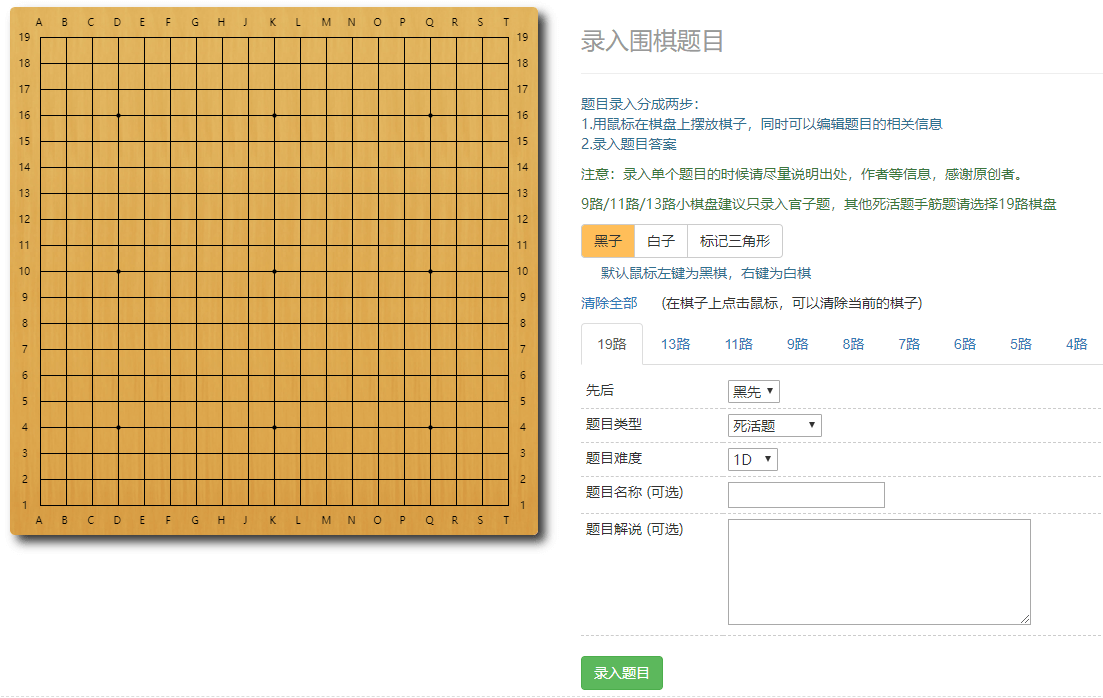
A newly entered problem does not appear in the library immediately. It first goes to the pending-review area and must be reviewed by a user with elevated permissions before it can be added.

Regular users can also review problems. A problem can enter the library once it receives an average rating above 3 from ten users.

You can also rate a problem's difficulty. Its difficulty level is adjusted dynamically based on community ratings.